In 30 seconds
Steam or PURPLE

AION 2 Global is on PC in two places: Steam and NCSoft's own launcher, PURPLE. According to NCSoft's official answers:
- the content on Steam and PURPLE is the same;
- players from both platforms play on the same servers;
- progress from the Korean and Taiwanese versions does not carry over to Global.
| Steam | PURPLE | |
|---|---|---|
| What you need | A Steam account | An NC account (created on the site or in the launcher) |
| Linking to the other platform | Optional | Optional |
| Founder's Packs | Bought on Steam, work only on Steam | Bought in PURPLE, work only in PURPLE |
| Twitch Drops | Link Twitch to Steam | Link Twitch to your NC account |
How to download and how much space you need: How to download AION 2.
Linking Steam to PURPLE
Link the accounts only if you want to play one character on both Steam and PURPLE. If you play in one place, you do not need it.
AION 2 codes (coupons)
NCSoft publishes codes in its official notices. Each code has its own expiry, so redeem it right away. Active and expired codes with rewards and expiry dates are on the AION 2 codes page.
How to redeem a code:
- In game open Settings → Miscellaneous → Account → Enter Coupon.
- Type the code and press Confirm. The rewards arrive in your Cube.
The first Global code, TAKEFLIGHTAION2 (Odyle Energy ×4, Resurrection Spiritstone ×5, Battle Enhance Scroll ×10), worked once per account on every server and expired on 14 October. The terms of new codes are on the AION 2 codes page.
Twitch Drops

During the launch you get free rewards for watching AION 2 on Twitch. It is for Global only — Korean and Taiwanese players are not eligible.
How to get them
- Link TwitchOn the official AION 2 site open the Twitch Drops section and connect Twitch to your Steam or NC account. Without it rewards do not arrive.
- Watch streamsAny AION 2 channel with drops enabled counts. You can switch channels — progress keeps adding up.
- ClaimOpen your drops inventory on Twitch and press Claim. The reward arrives in game.
What you can get (depends on the campaign):
- an appearance change voucher and a customization voucher;
- Resurrection Spiritstones;
- a skin chest and an outfit;
- Soul Codex reset and Soul Codex — for rerolling gear stats;
- a pet that also works as a mount;
- a pet chest;
- Odyle Energy.
Creating a character
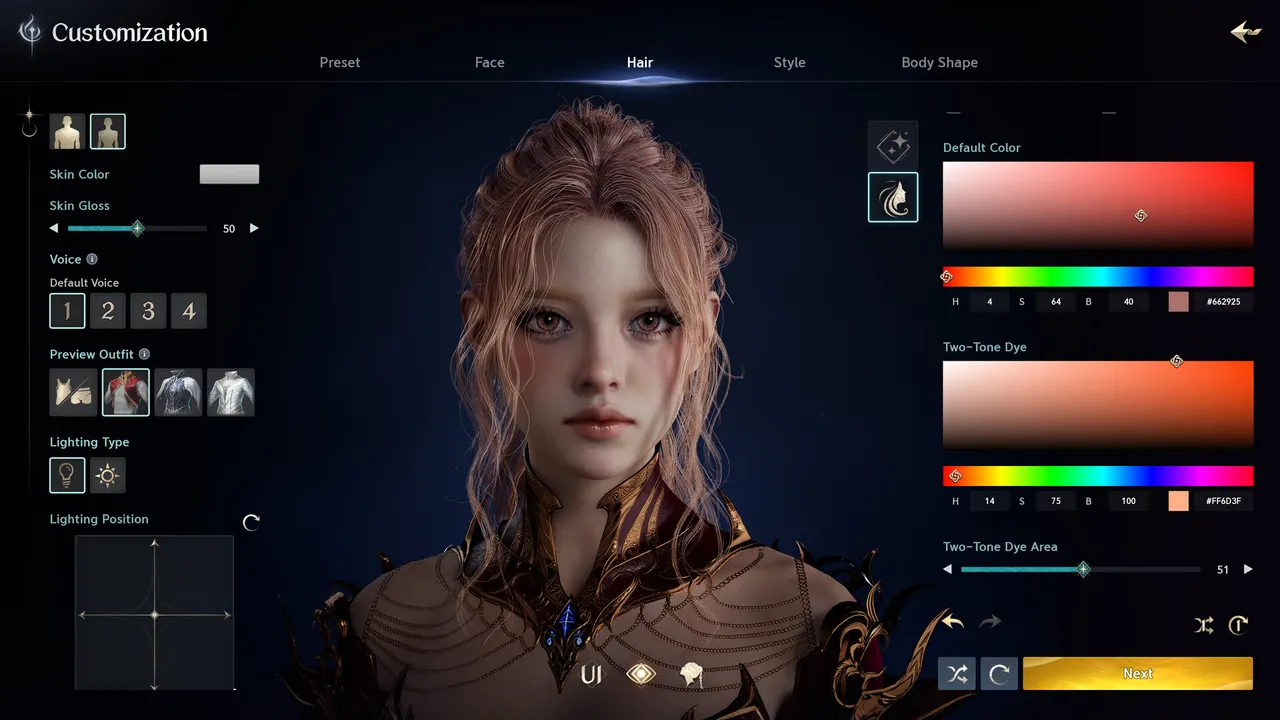
At the Global launch an account has 4 character slots. More can be unlocked in the shop.
In order
- FactionElyos or Asmodians — decide with your friends. It cannot be changed: Elyos or Asmodians.
- ServerA server of your faction with the best ping: Which server to choose.
- ClassEight classes, roles and weapons — Which class to pick.
- AppearanceOver 200 sliders. You can save a look and apply it later with an appearance change voucher.
- NameShort names go fast at launch. Prepare a few options.
Account security
- Never share your login and password with "power-levelers" or Kinah sellers
- Do not buy ready-made accounts: they are often recovered by the previous owner through support
- Turn on two-factor protection on Steam or your NC account
- Link Twitch only on the official game site, never through links from chats
- Enter coupons only in the game itself. "Coupon generators" on websites are scams
The bottom line
Steam and PURPLE give the same game on the same servers; linking is only needed for a shared character. Redeem codes in game under Enter Coupon and check the AION 2 codes page for active ones, link Twitch to your game account for Twitch Drops, and choose faction and server together with your friends.
Comments