PRO — one hour free
The map over the game, hidden cube arrow, pets, loot log — all of PRO for an hour, no payment and no key. For everyone who never had PRO: the «Try PRO» button in the app.
dbaion2.ru · for AION 2
Your whole party's damage in an in-game overlay — free. Also free: an interactive world map and Black Cloud Merchant hints. PRO adds the map over the game with your own arrow, an arrow to hidden cubes, a loot log, progress for 200 pets and all achievements.
English and Russian interface · support in Telegram and Discord · pay by card or PayPal
Version 0.3.21 · 85.1 MB · Windows 10/11 · RU / EN.
FREE TRIAL
One button in the app. No payment, no key, no sign-up.
The map over the game, hidden cube arrow, pets, loot log — all of PRO for an hour, no payment and no key. For everyone who never had PRO: the «Try PRO» button in the app.
The TeamMate DPS meter reads the game’s network traffic and changes nothing in the client. Already using another meter? Keep it.
A free AION 2 DPS meter (damage meter) with an in-game overlay: damage and DPS of every party member, boss HP and fight time. No key and no time limit.
Resize and position the overlay, adjust opacity and hover behaviour, switch between Solo and Group and choose which blocks to show. Boss HP is displayed when the game provides it; an unknown maximum is shown as a dash.
Set up the overlayThe Map section: pets, monsters and field bosses, items and the monsters that drop them, hidden cube spots, traces, teleports, villages and dungeon entrances. The Pets tab lists the nearest pets you still need with soul progress and a level goal; Track pins any item on the map. The map works even when the game is not running.
With PRO the map opens over the game: a small card follows your character, shows your position with a direction arrow, resources to gather and the distance and direction to the nearest targets. Zoom with the mouse wheel, drag and resize the card; it hides by itself while a game menu is open. Your position is turned on separately, with your consent.
Open the map on the websiteOpen the Black Cloud shop and TeamMate puts plates right over the item cards: whether you already have the pet or skin, souls to the next level, the discount and «Recommended» for rare pets that do not drop from monsters. Next to it is a list of all goods on the tab and the time until the next refresh. The plates disappear as soon as you leave the shop, and a reminder comes before the goods refresh.
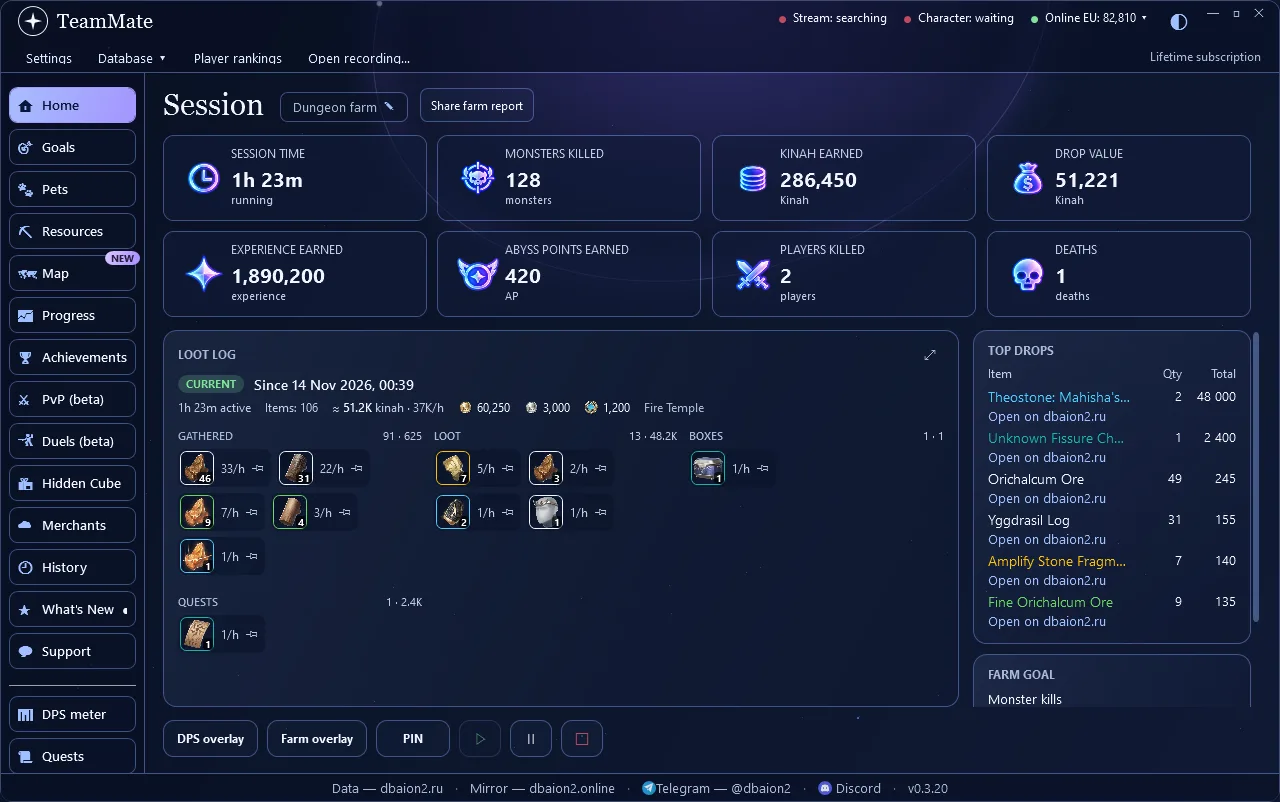
Everything you gather, loot, find in boxes and get from quests during a farm session — by group, with the rate per hour and the value in kinah. The Tracker overlay shows the same over the game: pin the item you farm, clear the loot without stopping the session, kinah and currencies at the bottom.
Track collected souls and progress toward the next level. The pet card is separate from boss combat statistics. Hide the card without stopping the count.
Pet setup, step by step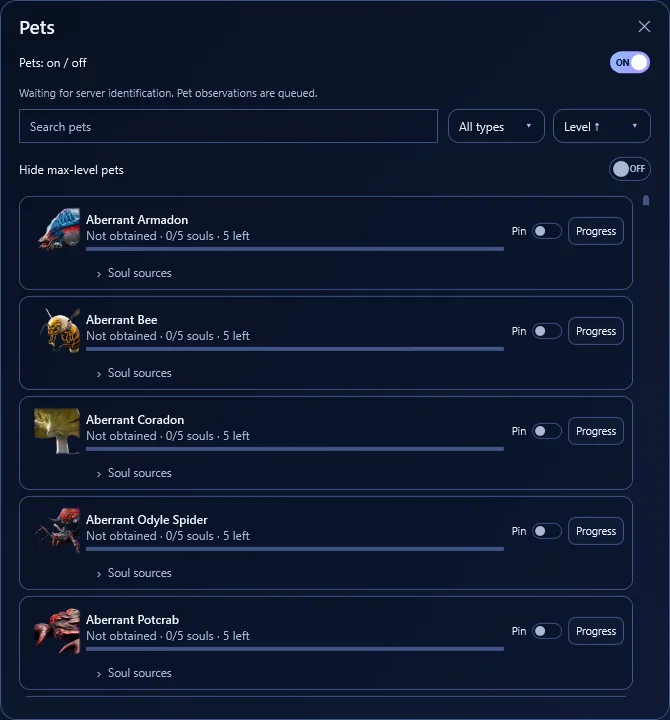
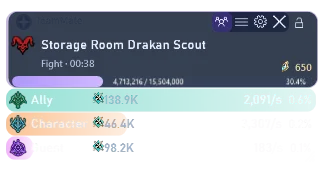
The free combat overlay shows the target, fight duration, player DPS and the HP values received from the game. Saved fights keep skill statistics and contributions. PRO pet progress uses its own card.
Combat targets and filters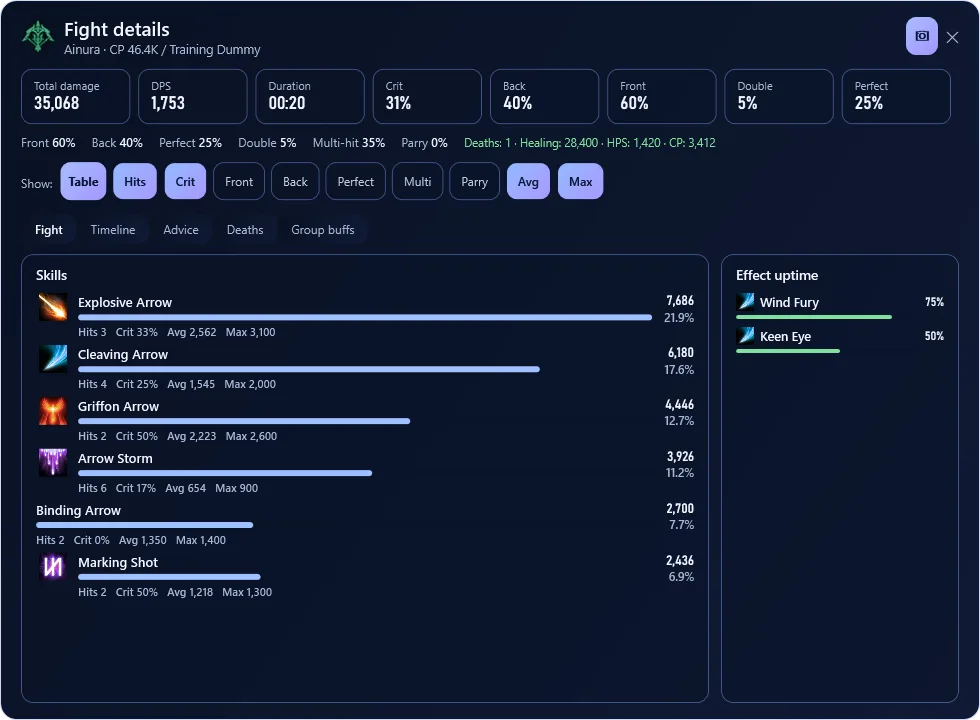
When a cube is detected, its own bar appears above the overlay with distance, a direction cue and a map button. Configure detection and sound in Tracker PRO settings. Compare the arrow with the minimap: direction can be approximate or temporarily unavailable.
Learn to find cubes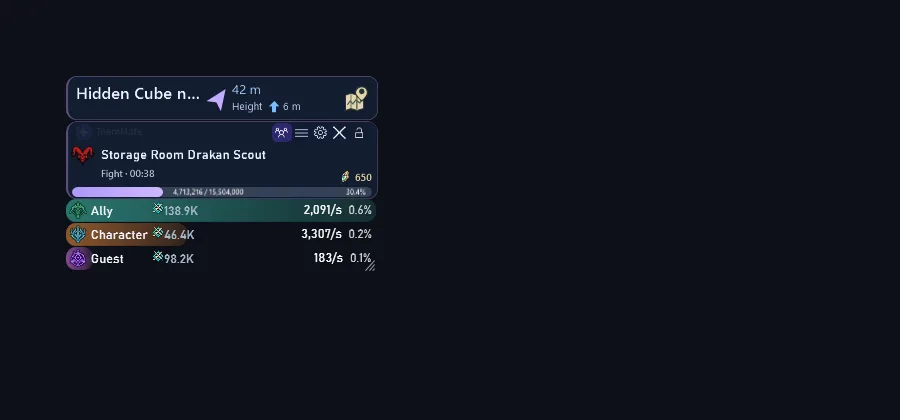
Field bosses, Shugo and Rifts have their own timers and notifications. Character resources are available in a separate window. Select the events you need and adjust the shared notification duration.
Event settings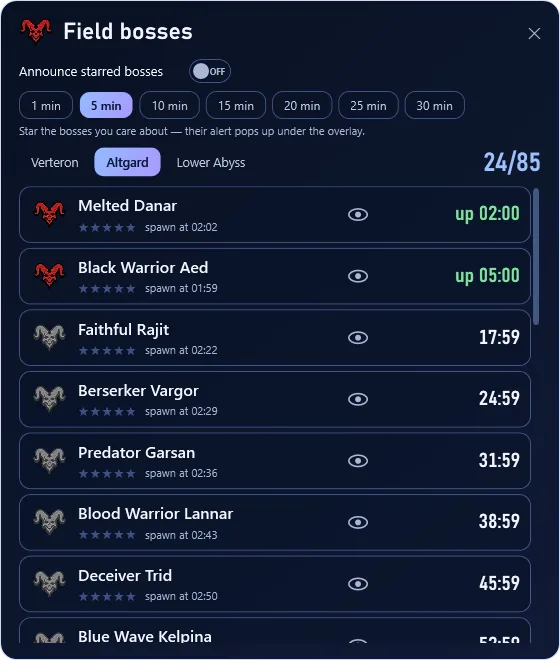
CHOOSE YOUR TOOLS
Features in one TeamMate.
No second app or separate install.
A free feature in TeamMate. No subscription is needed to measure damage.
All free features plus the full set of TeamMate PRO tools.
When your subscription ends, the DPS meter remains free.
MORE CONTROL OVER YOUR GAME
Your game stats
in one clear interface.
Kinah, XP, kills and profit per hour. Compare sessions and decide where to farm next.
Loot log, top drops and NPC item prices. Open item pages right from dbaion2.
Set a target for items, kills, kinah or XP. Follow your progress and estimated time.
Alerts for hidden cubes, a pointer to the nearest one and a discovery history. Enable it only if you choose to. The pointer is a hint and is not always accurate.
Keep useful stats over the game. Choose cards, set opacity and size, and pin the overlay.
Track kills, deaths and AP. Compete with other players in loot, kills or earnings.
Track collected souls and progress toward the next pet level. A separate card below the overlay shows the remaining progress; choose when to show or hide it.
A map card in the overlay: your position with an arrow, resources, hidden cubes and hints with distance and direction to the nearest targets.
Plates over the shop cards: owned or not, souls to the next level, discount and «Recommended». A reminder before the goods refresh.
TAKE A LOOK INSIDE
Nebula and Nebula Light.
English and Russian.
Damage, DPS, contributions, skills, effects and history. The new combat overlay is shown below the main screen and is also free.
Select a screenshot to enlargeGET STARTED
One installer for every feature.
Download TeamMate for Windows 10/11. The DPS meter is built in. The installer will offer to install Npcap. After starting the tracker, teleport or re-log your character once so it recognises you.
Measure damage and review fights in the app. The DPS meter does not require PRO.
Buy access on the site and enter your key under Settings → PRO. PRO tools unlock in the same app.
QUESTIONS?
Click «Download for Windows» at the top of this page: it is the TeamMate installer for Windows 10/11, the DPS meter is built in and free. The installer offers to install Npcap. Start TeamMate before your character enters the world and damage shows in the first fight.
Yes: damage, DPS and the share of every party member, boss HP and fight time — in the overlay and in the app window. The in-game combat analysis shows only your own damage.
Yes, the TeamMate interface is fully in Russian or English. It is made for AION 2 Global on Windows 10/11; support is on Telegram and Discord.
No. TeamMate is one app. DPS, quests, events and resources are free; PRO adds farming and other extended tools.
The game has its own combat analysis. TeamMate counts damage by the same rules — we compared the numbers on bosses and they match — and adds an overlay on top of the game, fight history and comparison, a per-skill breakdown, crits and back attacks. The TeamMate DPS meter is free.
Yes, since version 0.3.0: all 329 achievements of your race with in-game progress, «Closest to completion» sorting, «My goals» and a change feed in the overlay. The section is in beta and part of PRO.
Yes. The Map section is free: pets, monsters and field bosses, items and the monsters that drop them, hidden cube spots, traces, teleports and dungeons. With PRO the map opens over the game as its own card and shows your position with an arrow, resources to gather and hints to the nearest targets.
TeamMate PRO plays a sound when a Hidden Cube appears nearby and shows an arrow in the overlay: direction, distance and height. Every cube spawn spot is on the dbaion2 map and in the «Hidden Cubes» guide.
Damage, DPS, HPS, participants and contributions; Skills, critical hits, effects and deaths; Fight history, comparison and details; DPS overlay, player tooltip and fight result; Quest route 1–45: Asmodians for now; Events: field bosses, Shugo and Rifts; Character resources from received data; Themes, hotkeys, profiles and settings backup.
Free features remain available. Renew the subscription to use the tools listed in the PRO card.
Buy access on the PRO page or through the app and enter the key in Settings → PRO. No reinstall is needed.
After activation, a key is bound to your PC and is not intended for several users.
Windows 10/11, 64-bit, AION 2 Global. Npcap is needed for damage capture; the installer offers it. RU/EN interface, Nebula and Nebula Light themes.
Start Tracker before login and check Npcap. Safely relog if the initial packet was missed. Farming and loot tracking require PRO; the guide includes detailed troubleshooting.
Required game data has not arrived or its format is unsupported. Tracker does not invent a maximum. Resources may show the last saved observation.
Solo shows your character; Group shows available participants in the current fight. It is not a guaranteed game party roster.
Detection depends on the game data received. The arrow shows the direction, distance and height to the cube but can be off or temporarily unavailable — check it against the map.
Yes, the DBAion2 community server: https://discord.gg/6E3mDhf4ap — news, chat and support. The link is also in the app: the Support page and the window footer. Telegram @dbaion2 works too.
The DPS meter and most features passively read network traffic through Npcap: TeamMate does not change game files or send commands to the game. The cube and map arrows (PRO) are turned on separately, with your consent. No one can guarantee how the operator treats third-party tools.
Farm, goals, cubes, overlay and player competition in one app.
The DPS meter is included and stays free.